You are using an outdated browser. For a faster, safer browsing experience, upgrade for free today.

Loading...

VR Treadmill Walking Guide

PACE

How to turn Meta Quest + DeoVR into steady treadmill cardio: sync speed, control intensity with incline, and avoid motion discomfort.

What it is

VR treadmill walking is not a game and not passive sightseeing. It is a treadmill-first cardio method using real-world 360 walking video.
  • Walk on a real treadmill.
  • Watch a real-pace 360 route in VR.
  • Match treadmill speed to video pace.
  • Use incline to control heart-rate effort.
  • Pick stable routes with no cuts or jumps.
For treadmill boredom
Spatial movement makes steady cardio easier to finish.
For low-intensity cardio
Longer sessions become more repeatable without HIIT-style spikes.
For travel motivation
Real places replace staring at the wall or a fixed TV screen.

Quest + DeoVR setup

  • Install DeoVR on Meta Quest.
  • Open a VRGO route from the channel or this site.
  • Use passthrough while positioning yourself on the treadmill.
  • Start treadmill slowly before raising speed to the route pace.
  • Keep handrails reachable during the first sessions.


Pace sync

The route pace is the anchor. If the video is filmed at 5.0 km/h, set the treadmill near 5.0 km/h. If effort is too easy, raise incline instead of chasing speed.

  • Beginner: 4.0-5.0 km/h, 0-3% incline.
  • Intermediate: 5.0-5.6 km/h, 2-6% incline.
  • Advanced: faster routes only after comfort is proven.

Why incline matters more than speed

In treadmill VR, speed affects comfort because visual movement and walking rhythm need to stay aligned. Incline changes workload without changing visual speed.

Speed is for synchronization
Set speed to match the filmed walking pace.
Incline is for intensity
Raise incline to increase heart-rate load while preserving comfort.
Route choice is progression
Move from flat beginner routes to faster or mixed-terrain routes over time.

Motion comfort rules

Start with stable routes

Avoid sharp turns, high speed, and mixed terrain until walking in VR feels ordinary.

No cuts or jumps

Sudden scene changes break the forward-motion model and can raise discomfort risk.

Keep correction small

On DeoVR, use gentle joystick recentering. In VRGO Player, autopilot turns are planned to reduce this manual work.

Stop early if needed

Dizziness is a hard stop signal. Return later with lower speed and an easier route.

Start with these routes

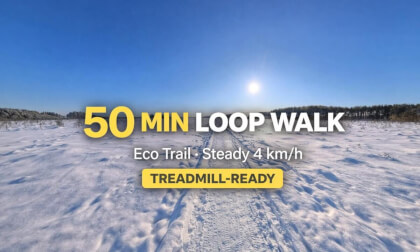
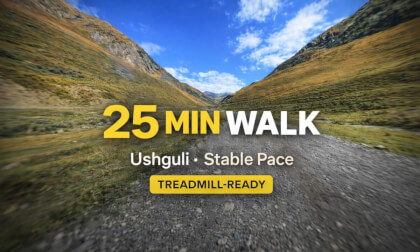
The route catalog is powered by JSON, so the same cards can be updated automatically from DeoVR now and VRGO Player later.


Get the 14-Day Starter Plan

6 treadmill-ready sessions to get comfortable fast: setup, motion comfort, DeoVR settings, and pace syncing. Route drops are weekly. No spam. Unsubscribe anytime.

Tip: to avoid discomfort, keep treadmill speed synced to the video pace and adjust effort with incline.